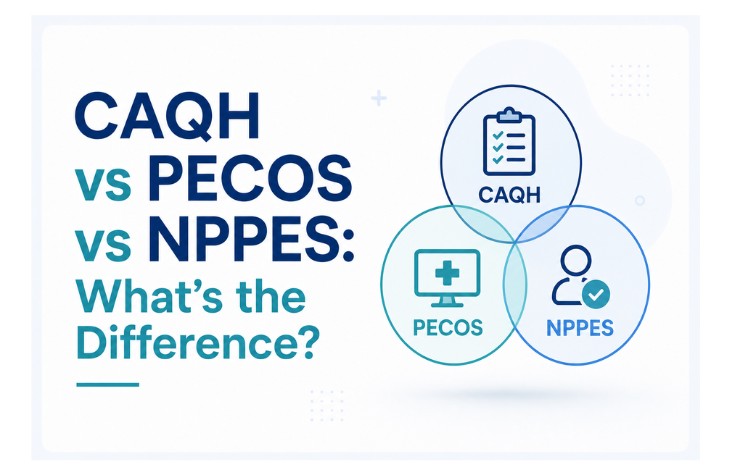
Anyone who has gone through credentialing has run into all three: NPPES, CAQH, and PECOS. They sound interchangeable, they all hold provider data, and they all seem to want the same information. So providers reasonably assume that updating one updates the others, or that getting set up in one means they’re set up everywhere. Neither is true, and the confusion causes real problems.
NPPES, CAQH, and PECOS are three separate systems with three distinct jobs. NPPES issues your identity. CAQH holds the data commercial payers verify. PECOS enrolls you with Medicare. They’re connected, they share data points, and they all have to agree with each other, but they do not talk to each other automatically, and a change in one does not flow to the others.
This post explains what each system actually does, how they differ, how they interact, and why keeping all three in sync is one of the most important habits in credentialing.
The Quick Answer
If you only remember one thing, remember this:
- NPPES assigns your National Provider Identifier (NPI). It answers the question “who are you?”
- CAQH stores the credentialing data commercial payers verify. It answers “are you qualified, and can a commercial payer see your information?”
- PECOS is the Medicare enrollment portal. It answers “are you allowed to bill Medicare?”
Each system is run for a different purpose by a different part of the healthcare administrative machinery, and each is required for a different part of getting paid. You need all three to operate a fully billable practice.
NPPES: Your Identity in the System
NPPES, the National Plan and Provider Enumeration System, is managed by CMS and does one foundational thing: it assigns and maintains National Provider Identifiers. The NPI is the unique 10-digit number that identifies you across every payer and healthcare transaction in the United States.
Every provider needs an NPI to bill for services. Individual providers get a Type 1 NPI, and organizations get a Type 2 NPI. The full breakdown of the two types is in our Type 1 vs Type 2 NPI guide, but the key point here is that the NPI is your identity, and NPPES is where it lives.
What makes NPPES foundational is that the NPI functions as the common key across every other system. Because the NPI is federally issued, non-repeating, and stable, it functions as a common data key across otherwise siloed systems: PECOS for Medicare enrollment, CAQH for commercial payer credentialing, state license registries, and payer enrollment. When CAQH, PECOS, and a commercial payer all reference “this provider,” they’re matching on the NPI.
NPPES is also publicly searchable. Anyone can look up a provider’s NPI, name, address, and taxonomy in the registry. This is why the data in NPPES has to be accurate: it’s the public-facing source of truth that other systems cross-reference.
What NPPES does not do: it does not credential you, it does not enroll you with any payer, and it does not verify your qualifications. It just issues and stores your identifier and basic demographic data. An NPI confirms you have a valid number in the system. It says nothing about whether you’re licensed, credentialed, or allowed to bill anyone.
CAQH: The Commercial Credentialing Hub
CAQH, the Council for Affordable Quality Healthcare, is a nonprofit alliance of health plans, and its ProView platform is the centralized database commercial payers use to credential providers. Where NPPES handles identity, CAQH handles credentialing data.
The model is single-entry, multi-use. Providers enter their information once into CAQH ProView, and participating payers access that information directly, eliminating the need to fill out separate applications for each insurance company. One profile, authorized to many payers, holding everything a commercial payer needs to verify: license, education, work history, malpractice coverage, board certification, and disclosures.
CAQH carries a maintenance requirement that trips up more credentialing programs than any other deadline: the profile must be complete, accurate, and re-attested every 120 days (180 days in Illinois) to stay active. When attestation lapses, commercial payer access pauses and credentialing stalls. The full mechanics are in our CAQH ProView guide.
What CAQH does not do: it is not a payer, and it does not handle Medicare. CAQH is not used in Medicare for enrollment or certification; Medicare requires providers to enroll and bill under PECOS. CAQH is exclusively a commercial credentialing tool. It also does not approve or deny anyone; it delivers data to payers, who make their own credentialing decisions.
Is credentialing holding up your revenue?
Every day a provider sits uncredentialed is a day you can’t bill for their work. We take the whole process off your plate.
We handle all of it. Flat $150 per application, all 50 states, with clear status on every provider.
Get My Providers Credentialed → or call (307) 243 2190PECOS: The Medicare Enrollment Portal
PECOS, the Provider Enrollment, Chain, and Ownership System, is the CMS portal for Medicare enrollment. Where CAQH serves commercial payers, PECOS serves exactly one payer: Medicare.
Any provider wanting to see Medicare patients must enroll through PECOS. It’s where you file the CMS-855 enrollment applications, manage reassignment of benefits, complete revalidations, and track the status of Medicare enrollment. CMS describes PECOS as the system that lets providers submit and manage Medicare enrollment information electronically, and is explicit that providers must enroll in Medicare to get paid for covered services to Medicare patients.
The relationship between PECOS and NPPES is close but one-directional. NPPES logins are linked to PECOS, so users with NPI-related credentials can access the portal. But the data doesn’t sync automatically. NPPES assigns the identifiers that confirm provider identity, while PECOS hosts the information that determines whether they’re allowed to bill Medicare. They reference the same NPI, but updating your address in NPPES does not update it in PECOS, and vice versa.
CMS rebuilt PECOS as PECOS 2.0 in late 2025, adding real-time validation that cross-checks your entries against NPPES, IRS, and other federal data instantly. What changed and how to prepare is covered in our PECOS 2.0 guide.
What PECOS does not do: it does not touch commercial payers, and it does not credential you for Medicaid (that runs through state systems). PECOS is Medicare and Medicare only.
How the Three Systems Interact
Here’s where the practical difficulty lives. The three systems are interconnected through the NPI, but they are not integrated. Each is a separate database with a separate purpose, and updating one does not update the others.
A useful way to picture it: NPPES is your identity layer, CAQH is your commercial credentialing layer, and PECOS is your Medicare enrollment layer. The NPI is the thread that runs through all three. When a commercial payer credentials you, it pulls from CAQH and cross-checks against NPPES. When Medicare enrolls you, PECOS validates against NPPES. Every connection runs through the NPI, but the systems themselves don’t share updates.
This is why data consistency across all three is non-negotiable. Providers must ensure consistent data across NPPES, CAQH, and PECOS, because any mismatch can trigger claim rejections or compliance audits. The specific fields that have to match: legal name, practice address, taxonomy code, and tax ID. Even minor formatting differences, like “Ste.” versus “Suite,” can cause automatic rejection.
When you change practice locations, change your name, or update a specialty, you have to make that change in all three systems separately, on the same day. Skip one, and the mismatch surfaces weeks later as a flagged application or a denied claim. When we audit a new practice, an address or name that matches in two of the three but not the third is one of the first things we look for, because it is one of the most common. Data mismatches between these systems are among the most common causes of credentialing delays and denials.
Side by Side
| NPPES | CAQH ProView | PECOS | |
|---|---|---|---|
| Run by | CMS | CAQH (nonprofit) | CMS |
| Core job | Issues your NPI | Stores commercial credentialing data | Enrolls you with Medicare |
| Answers | Who are you? | Are you qualified for commercial payers? | Can you bill Medicare? |
| Used by | Everyone | Commercial payers | Medicare only |
| Key requirement | Keep data current | Re-attest every 120 days | Revalidate every 5 years |
| Public? | Yes, searchable | No | No |
Why This Matters for Getting Paid
The reason this distinction is worth understanding is that all three have to be correct and consistent before a practice gets paid cleanly across all payers.
A provider with a perfect CAQH profile but no PECOS enrollment can bill commercial payers but not Medicare. A provider enrolled in PECOS with an outdated NPPES address will see Medicare claims flagged. A provider whose taxonomy code differs between NPPES and CAQH will see commercial credentialing stall. Each system governs a different slice of the practice’s revenue, and a gap in any one creates denials in that slice.
The practices that avoid these problems treat the three systems as one connected data set rather than three separate chores. When something changes, it changes everywhere, the same day. That single habit prevents the majority of the cross-system mismatches that cause credentialing delays.
Frequently Asked Questions
NPPES assigns your National Provider Identifier (NPI) and stores basic provider data. CAQH ProView stores the credentialing information commercial payers verify. PECOS is the CMS portal for Medicare enrollment. NPPES handles identity, CAQH handles commercial credentialing, and PECOS handles Medicare enrollment. All three are required for a fully billable practice.
No. The three systems are connected through your NPI but do not sync automatically. A change made in NPPES does not flow to PECOS or CAQH. You have to update each system separately, ideally on the same day, or the mismatch will surface later as a flagged application or denied claim.
Most providers do. You need an NPI from NPPES to bill anyone. You need a CAQH profile to credential with commercial payers. You need PECOS enrollment to bill Medicare. A provider seeing both commercial and Medicare patients uses all three. A provider seeing only Medicare patients still needs NPPES and PECOS.
No. CAQH is exclusively for commercial payer credentialing. Medicare enrollment runs entirely through PECOS. The two serve different payers and do not overlap, though both reference the same NPI assigned by NPPES.
Payers cross-reference all three systems during credentialing and claims processing. When the name, address, taxonomy, or tax ID differs between NPPES, CAQH, and PECOS, automated checks flag the inconsistency. Even minor formatting differences can trigger rejections. Keeping all three identical is one of the most effective ways to prevent credentialing delays.
Keep Your Systems in Sync, Get Paid on Time
NPPES, CAQH, and PECOS each govern a different part of how a practice gets paid, and a gap or mismatch in any one creates denials. The systems don’t talk to each other, so keeping them aligned is ongoing work that, done poorly, quietly costs revenue.
MedBillingTech manages NPPES, CAQH, and PECOS together as part of our flat-fee credentialing service ($150 per application), keeping all three reconciled so mismatches never become denials.
Get Started With Credentialing →
If you want to know whether your three systems currently agree with each other, free credentialing audit checks alignment across NPPES, CAQH, PECOS, and payer enrollment in 15 minutes.